LED lights are popular for their efficiency and longevity. However, many users experience flickering when these lights are connected to a sensor. This issue raises a crucial question: "Why do LED lights flicker when connected to a sensor?" Understanding the underlying reasons can help users address this frustrating problem.
Flickering often occurs due to compatibility issues between the LED lights and the sensor. Many sensors are designed for traditional bulbs and may struggle with the low wattage of LEDs. This mismatch can lead to inconsistent power delivery. Another possible reason is the types of dimmers used. Not all dimmers are compatible with LED technology, contributing to the flickering effect.
Reflecting on this issue, it's essential to consider installation practices. Users need to ensure the proper sensor and LED pairing. Awareness of these factors could prevent unnecessary frustration. Energy-efficient lighting should enhance our environments, not detract from them. Exploring why this flickering happens not only improves user experience but also fosters a deeper understanding of LED technology.
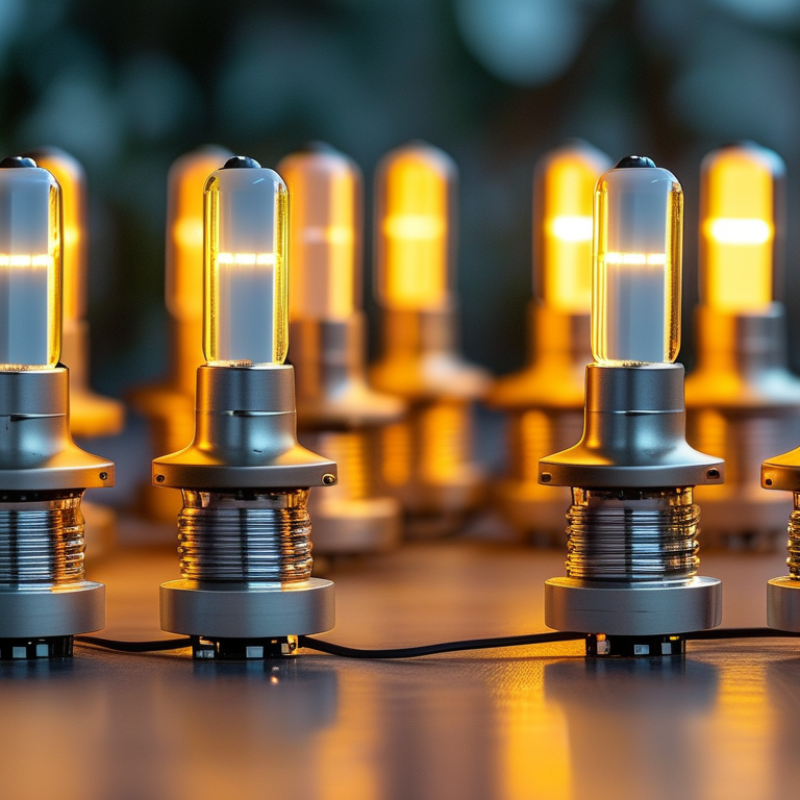
LED lights are becoming increasingly popular in various applications. However, users often notice flickering when these lights are connected to sensors. Understanding why this occurs involves delving into the fundamentals of LED lighting and flickering phenomena.
LED technology is fundamentally different from traditional lighting. LEDs operate using a process called electroluminescence. Sensors, particularly motion sensors, can cause fluctuations in power supply. According to a report from the International Energy Agency, LED flickering can occur in about 30% of installations when linked with incompatible sensors. This flickering stems from rapid on-off cycles of the current, which LEDs interpret as inconsistent power.
Incompatibility issues can arise between LED drivers and the sensor’s response time. Studies reveal that some sensors may react too quickly or slowly, leading to an uneven flow of electricity. Moreover, many LED lights are designed to withstand specific electrical thresholds. When those thresholds are crossed, even slightly, flickering results. It’s essential for installations to consider these variances. A poorly matched system may lead to not only flickering but also decreased lifespan of LEDs. Testing different combinations can help in finding a reliable solution.
LED lights are often connected to sensors, enabling automatic operation and energy efficiency. However, flickering can occur during this integration. This phenomenon can be attributed to the way sensors communicate with the LED drivers. Most sensors work by sending a signal based on motion or ambient light. If the signal isn’t strong enough, it can cause the LED light to flicker.
The role of the sensor is crucial in determining the performance of LED lights. When a sensor detects motion, it should smoothly adjust the lighting conditions. But if the sensor's parameters are not set correctly, this can lead to inconsistent performance. For example, a sensor might turn the light on and off rapidly in low traffic areas, causing noticeable flickers.
It's also important to consider the compatibility between the LED driver and the sensor. An incompatible pairing can lead to erratic behavior. Slack in installation can further contribute to flickering. If technicians overlook these details, they may find themselves revisiting their work. Adjusting settings and ensuring proper installation can greatly improve functionality. Users should remain vigilant in observing their LED lights when integrated with sensors.
This chart illustrates the frequency of flickers in LED lights connected to various types of sensors. The data reflects the average flicker rate (in Hz) for different sensor types commonly used with LED lighting systems.
When integrating LED lights with sensors, flickering can be a common issue. A report from the Lighting Research Center reveals that up to 30% of LED users experience flickering with sensor setups. This flickering may be caused by mismatched voltage levels between the LED and the sensor, leading to unstable power delivery. Such instability can result in variability in light output, frustrating for both homes and businesses.
Another significant factor is the presence of incompatible dimming technologies. Many LED lights rely on specific types of dimmers that may not communicate effectively with motion sensors or timers. The American Society of Lighting Professionals notes that nearly 25% of flickering issues stem from these incompatibilities. Additionally, inadequate wiring or poor connection quality can exacerbate the flickering, often going unnoticed until significant fluctuations occur.
In reality, many users overlook the importance of sensor specifications. This can lead to unintended flickering during operation, highlighting a need for better education on installation protocols. Awareness of the right pairing and setup can minimize disturbances. While some flickering may be harmless, it can sometimes signal deeper electrical issues, warranting expert evaluation.
| Cause | Description | Mitigation |
|---|---|---|
| Incompatible Sensor Type | Some sensors may not be compatible with specific LED lights, leading to flickering. | Use sensors that are designed to work with LED lighting systems. |
| Voltage Fluctuations | Fluctuations in electrical voltage can cause instability in LED performance. | Install a voltage stabilizer or surge protector to regulate power supply. |
| Low-Quality Driver | Using an inferior LED driver can lead to inconsistent power delivery, causing flickering. | Opt for high-quality, compatible LED drivers. |
| Poor Wiring Connections | Loose or corroded wiring can interrupt the constant flow of electricity. | Regularly inspect and tighten electrical connections. |
| Dimming Compatibility Issues | Not all LEDs are compatible with dimmer switches, leading to flickering at lower brightness levels. | Ensure the dimmer switch is compatible with LED technology. |
LED lights are known for their energy efficiency, but they can flicker when connected to sensors. Understanding the reasons involves looking at voltage fluctuations and frequency changes. LED drivers require consistent voltage to function correctly. When a sensor alters the voltage, it can cause the LED to flicker.
Voltage fluctuations often occur due to changes in the electrical load. When a sensor activates, it might draw additional power. This sudden change can disrupt the steady voltage needed for the LEDs. Frequency changes in the electrical supply can also cause flickering. Most LEDs operate well between specific frequencies. If the sensor leads to a deviation in these frequencies, flickering will likely happen.
**Tips:** Check your sensor settings. Make sure it’s compatible with your LED system. If flickering persists, consider using a different driver. Alternatively, you may want to install a filter to stabilize voltage. Sometimes, a simple adjustment can significantly reduce flickering, leading to a smoother lighting experience. It’s essential to balance energy efficiency with performance.
LED lights can flicker when used with sensors due to compatibility issues. This flickering is often caused by the sensor's sensitivity settings or the type of dimming technology it uses. In some cases, the electronic circuit of the sensor can disrupt the steady current that LEDs require for stable operation. This results in an undesirable light quality.
To mitigate this issue, one effective strategy is to use compatible sensors designed for LED technology. These sensors can regulate the current effectively, reducing flicker. Adjusting sensor sensitivity can also help. If the setting is too high, minor movements can trigger flickering. Another approach involves adding load resistors to the circuit. This can stabilize the current flow and enhance the LED performance.
In some cases, even with mitigation strategies, challenges may remain. Variations in the local power supply can still contribute to flickering. Users may notice this in older wiring systems. It's essential to experiment with various adjustments and setups for the best outcome. While solutions exist, perfection in all scenarios may not be achievable.
: Flickering occurs due to fluctuations in power supply from incompatible sensors.
Differences in response times can lead to uneven electricity flow, causing flickering.
Incorrect sensitivity settings may result in rapid on-off cycles, which can cause noticeable flickering.
It is the process that allows LEDs to emit light when an electric current passes through them.
Using compatible sensors and adjusting their sensitivity can help reduce flickering significantly.
Yes, adding load resistors can stabilize the current and improve LED performance.
Sensors enable automatic operation and can significantly affect light quality and performance.
Yes, slack installation or mismatched components may lead to flickering, necessitating revisits for adjustments.
Achieving perfection is difficult due to various factors, including supply variations and installation issues.
Trying different combinations of sensors, settings, and resistors can yield improved results.
LED lights can flicker when connected to a sensor for several reasons, which raises the question: "Why do LED lights flicker when connected to a sensor?" Understanding the basics of LED lighting and the flickering phenomena is essential, as various factors contribute to this issue. Sensors play a critical role in the operation and performance of LED lights, but improper integration can lead to common flickering problems.
Key causes of this flickering often include voltage fluctuations and changes in frequency that sensors may induce. It is crucial to examine technical specifications to diagnose the issue accurately. Mitigation strategies, such as using compatible sensors and ensuring stable power supply, can help reduce LED flickering, enhancing the overall lighting experience. By investigating these aspects, one can achieve a reliable and flicker-free LED lighting solution.

Boray Light